Delete client
This page explains how to delete an existing client.
Delete a client
-
On the Client List, find the client you want to delete.
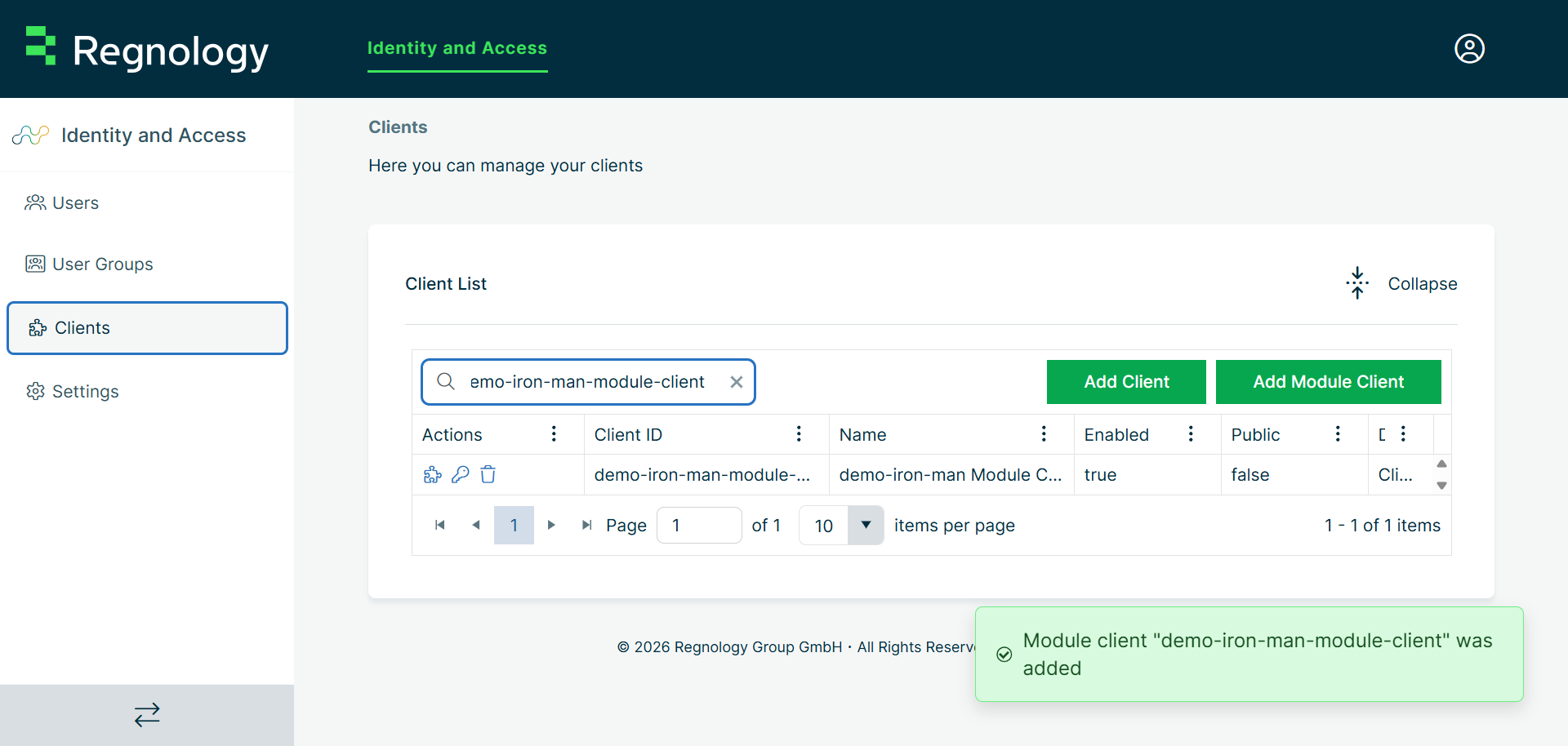
Figure 15. Client List showing demo-iron-man-module-client before delete
-
In the Actions column for that row only, click Delete Client (trash icon).
-
A confirmation dialog appears.
-
Confirmation text: "Are you sure you want to permanently delete client "demo-iron-man-module-client"?"
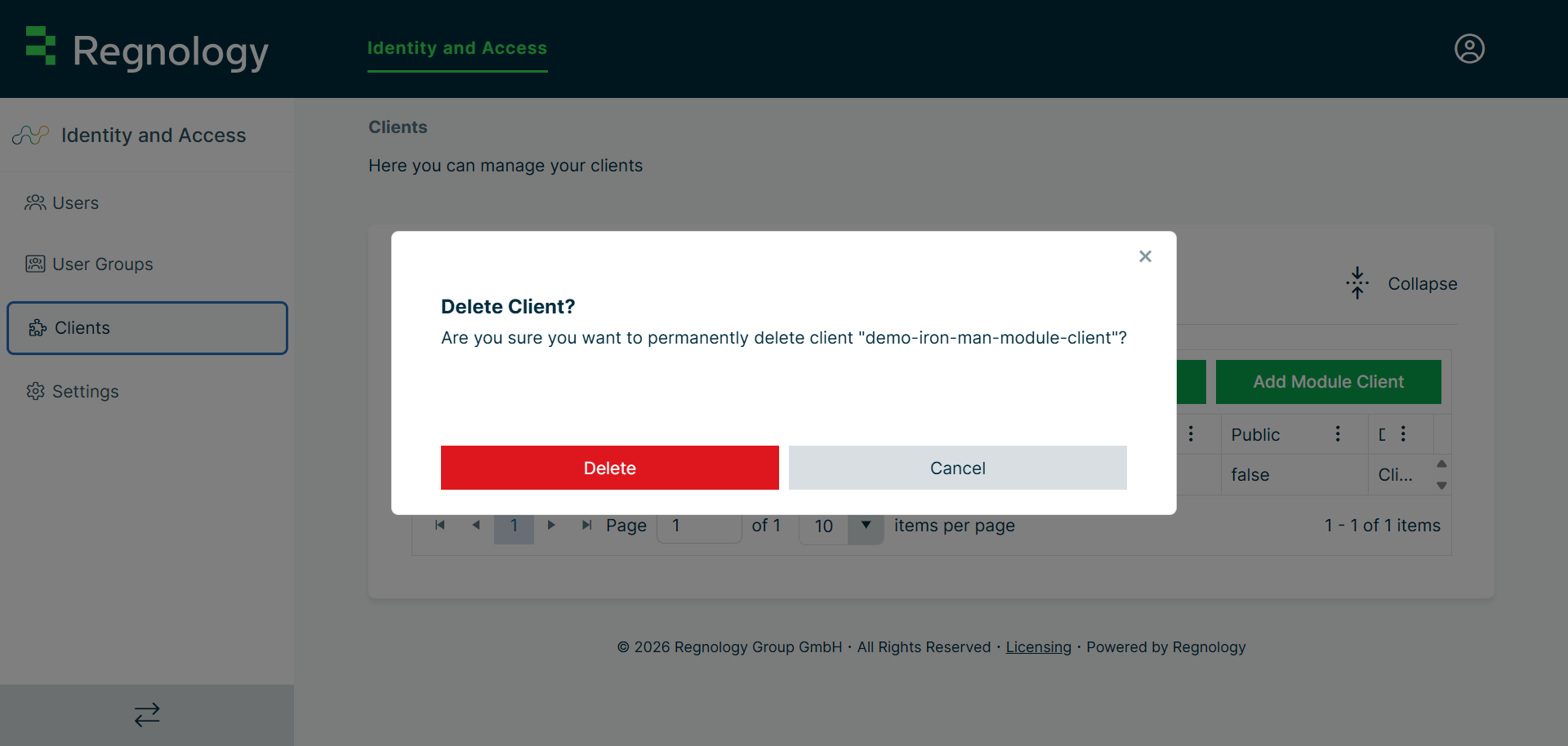
Figure 16. Delete Client confirmation dialog
-
Click Delete in the confirmation dialog.
-
Success message: "Client was deleted"
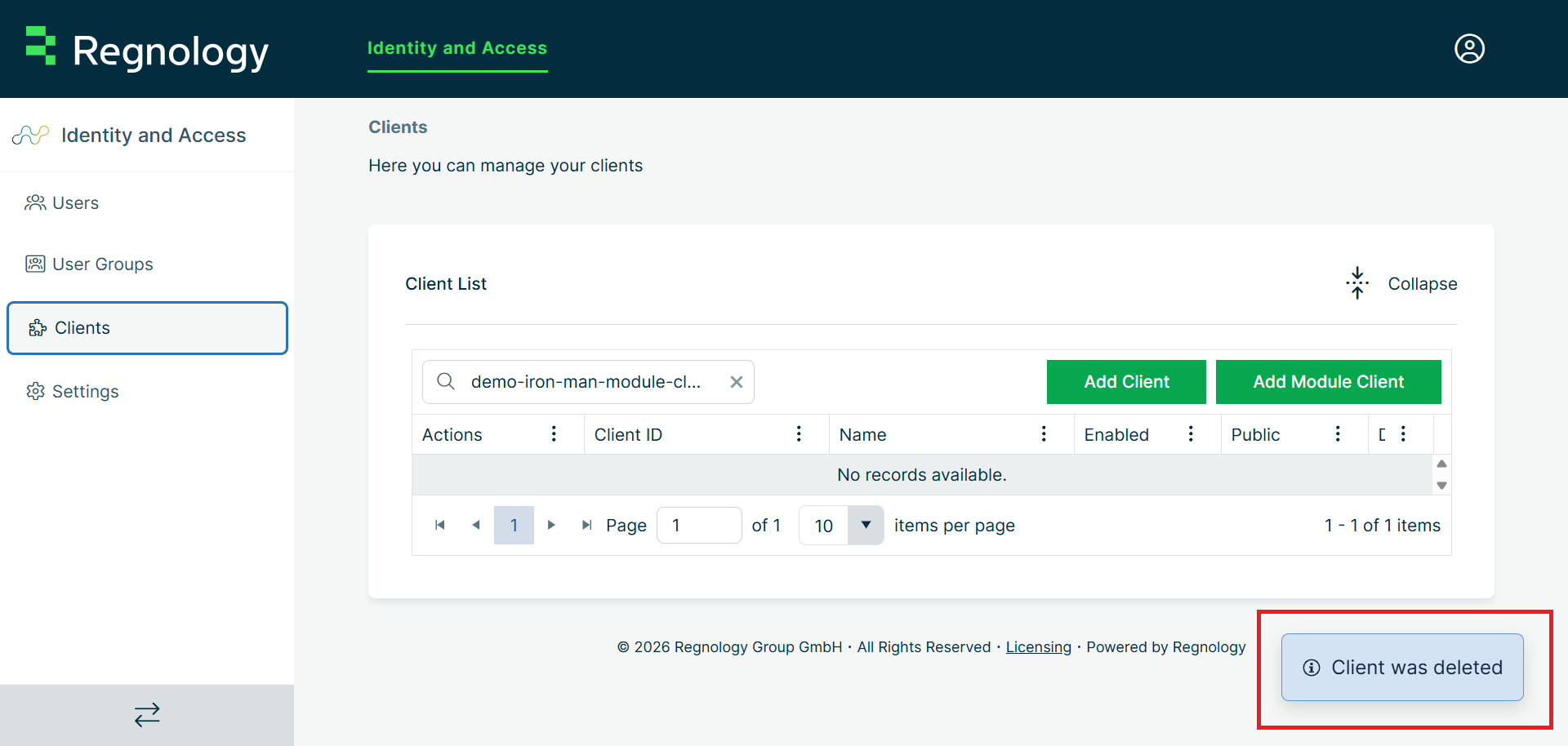
Figure 17. Success message after deleting the client
-
Confirm the client no longer appears in the Client List.